Edit User Information
In the Accounts module, administrators can manage user profiles to keep account details accurate and aligned with current responsibilities. You might need to update a user’s profile when their role changes, when there are updates to contact details, or to correct errors in names or email addresses.
Accurate user information helps maintain proper access control and ensures the right people have the right permissions. Regular updates also support smooth workflows, especially in environments with clearly defined roles and responsibilities.
To Edit a User's Information:
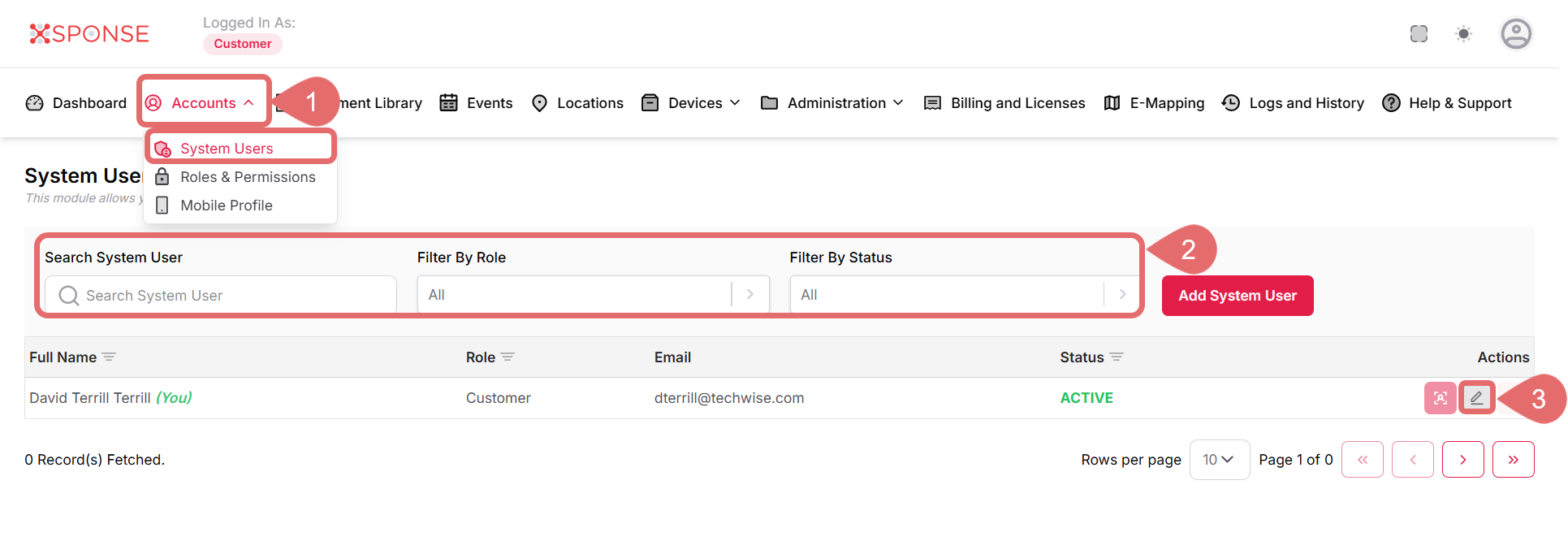
- Go to Accounts > System Users.
- Use the search bar or filters to locate the user you want to edit.
- In the Actions column, click the Update System User icon to open the editing panel.
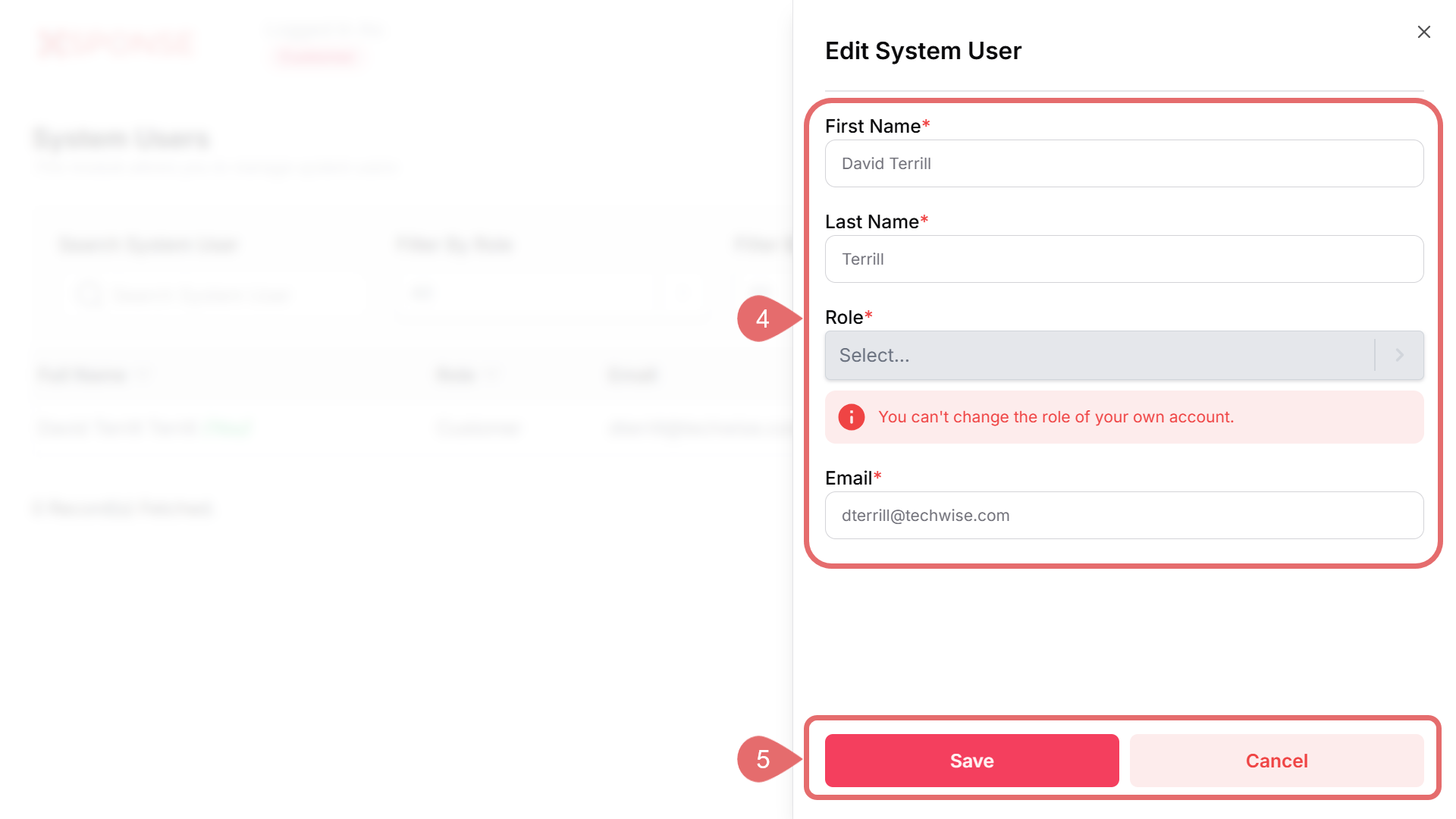
- Update the necessary fields, such as:
- First Name
- Last Name
- Role
Role Change RestrictedYou can’t change the role of your own account.
- Click Save to apply the changes, or Cancel to discard the changes.
See Also
To complement your knowledge of this process, check the following pages: