Impersonate a User Account
Use the Impersonate User feature to access the platform as another user. This functionality allows administrators or operators to troubleshoot issues or validate permissions assigned to a specific role.
Prerequisites
- You must have the required permissions to impersonate another user.
- Only users with ACTIVE status can be impersonated.
To Impersonate a User
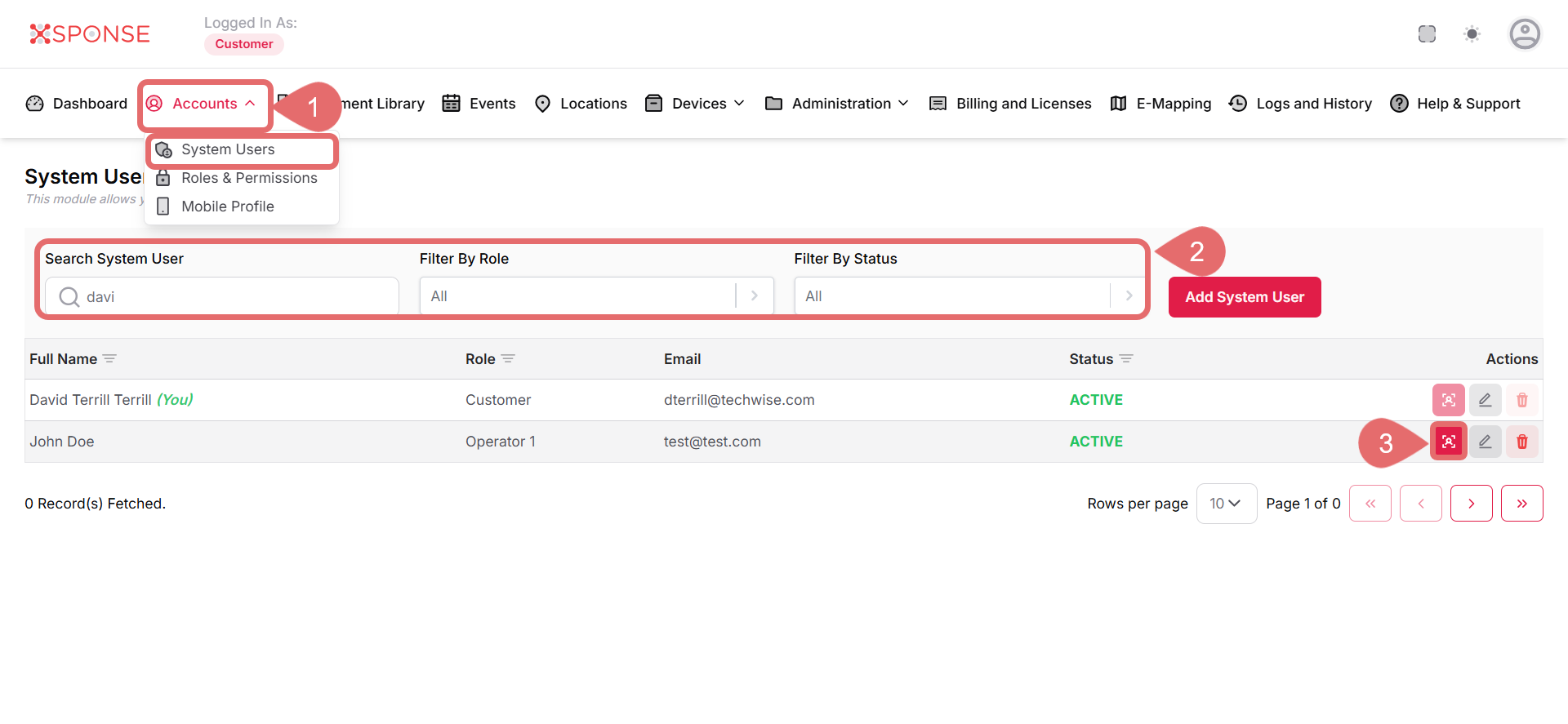
- Go to Accounts > System Users.
- Use the search bar or filters to locate the user you want to impersonate.
- In the Actions column, click the Impersonate User icon.
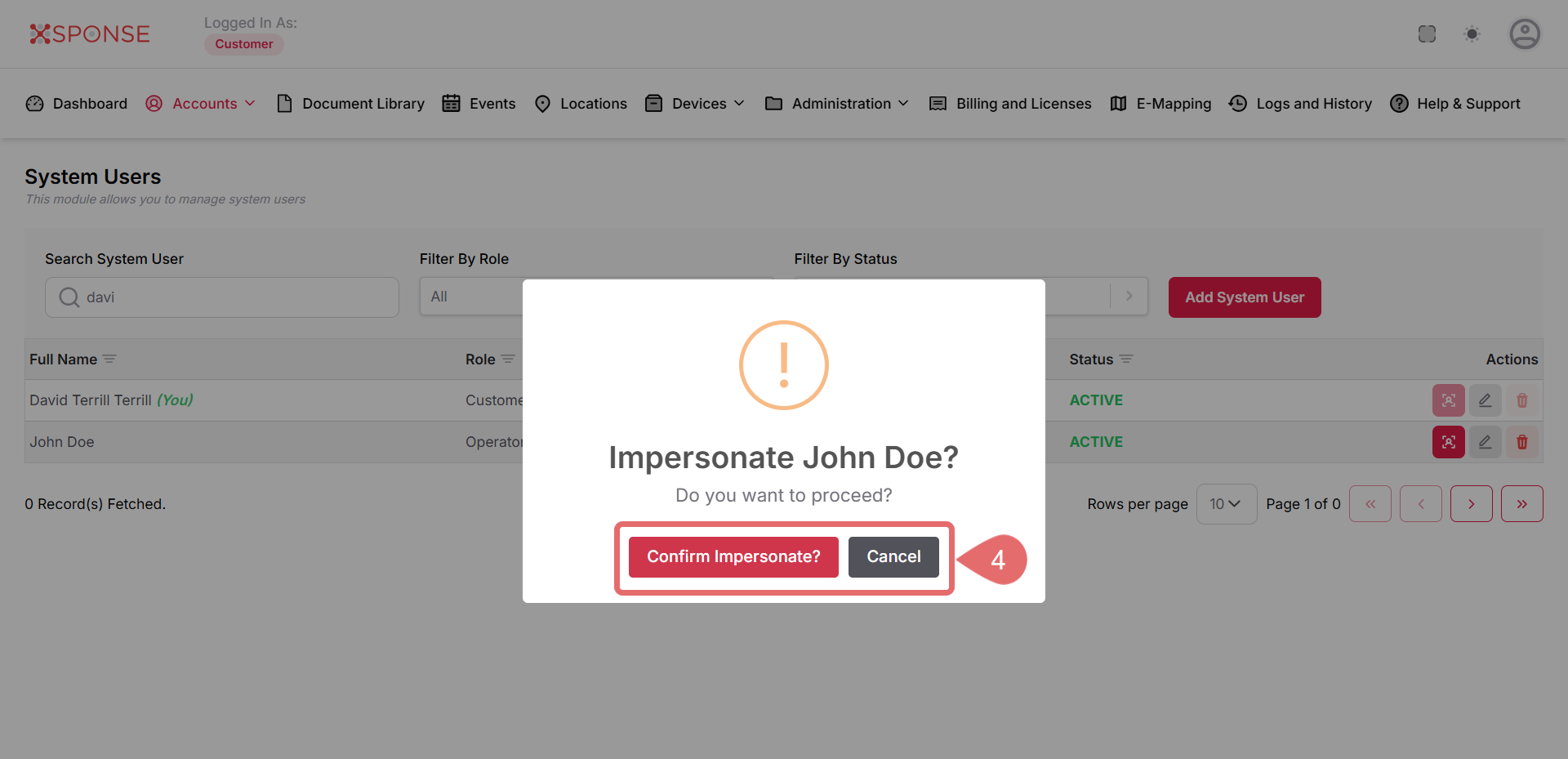
- Click Confirm Impersonate? to proceed, or Cancel to exit without taking action.
See Also
To complement your knowledge of this process, check the following pages: