Add a New Contact
In the Administration module, you can add new contacts to efficiently manage communication and ensure all important individuals are included in your system. Adding contacts helps in organizing communication channels for events or operations within your organization.
To Add a New Contact
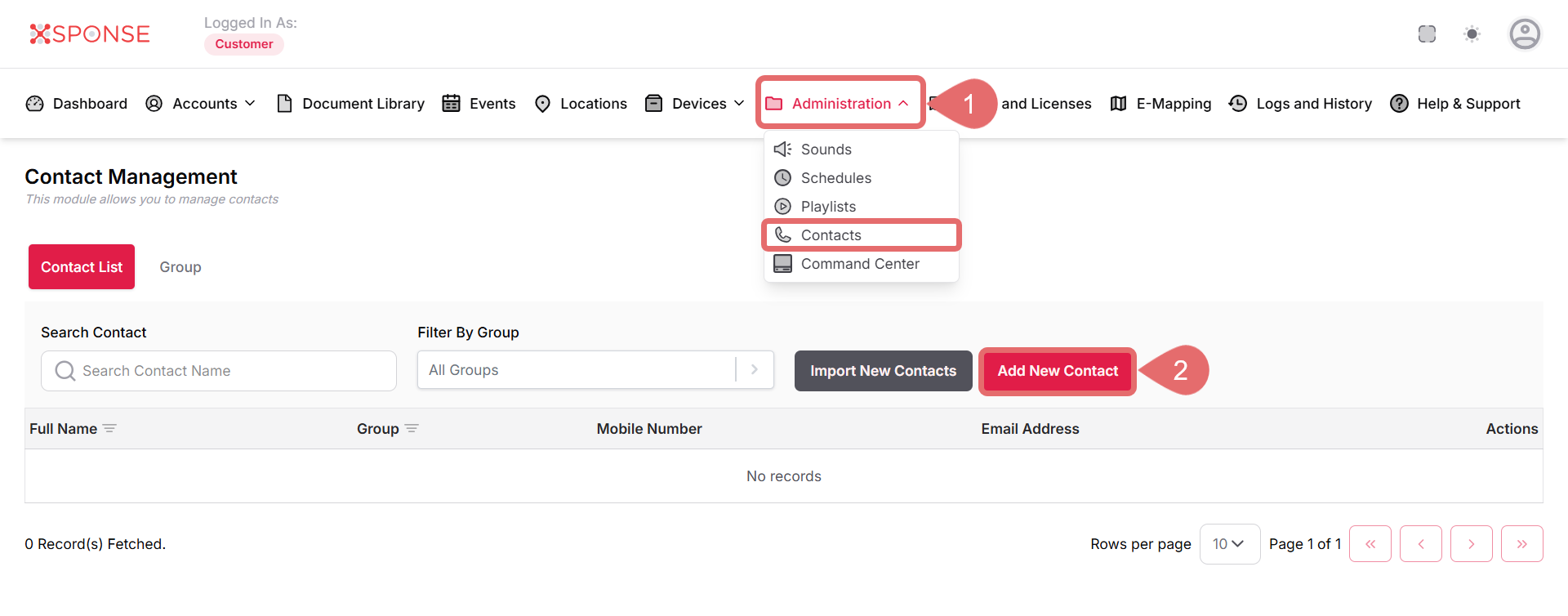
- Go to Administration > Contacts.
- Click Add New Contact.
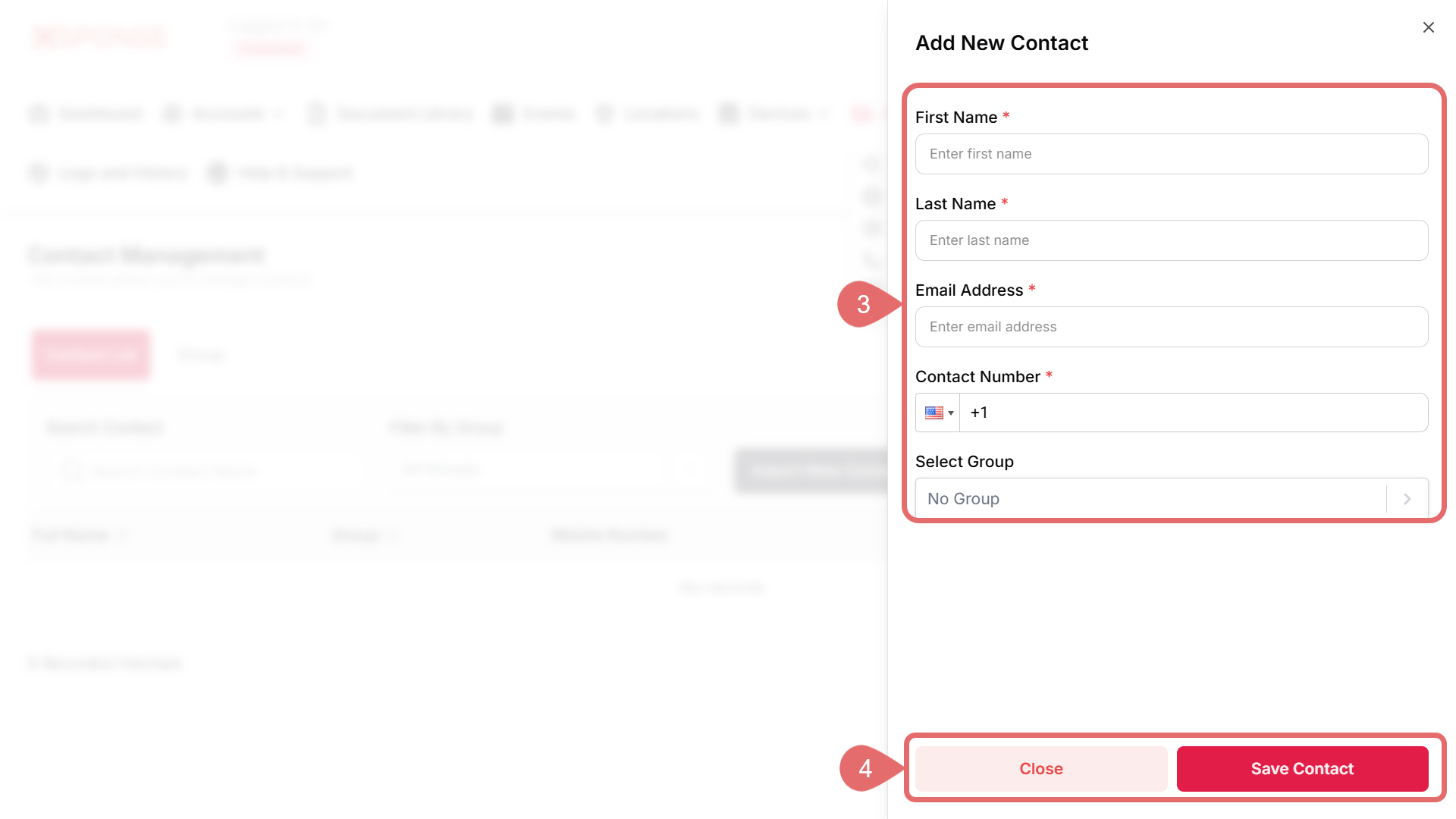
- Fill in the required information:
- First Name: Enter the contact's first name. This field is required.
- Last Name: Enter the contact's last name. This field is required.
- Email Address: Enter a valid email address for the contact. This field is required.
- Contact Number: Enter the contact's phone number, including the country code (e.g., +1 for the US). This field is required.
- Select Group: Choose the appropriate group for the contact from the dropdown menu.
- Click Save to create the new contact, or Close to discard the changes.
Once saved, the new contact will appear in the Contacts list, where you can view or update its details as needed.
See Also
To complement your knowledge of this process, check the following pages: