Edit a Contact
In the Administrator module, you have the ability to edit existing contacts to ensure that their information is up-to-date. This is important for maintaining accurate communication records within your organization.
To Edit a Contact
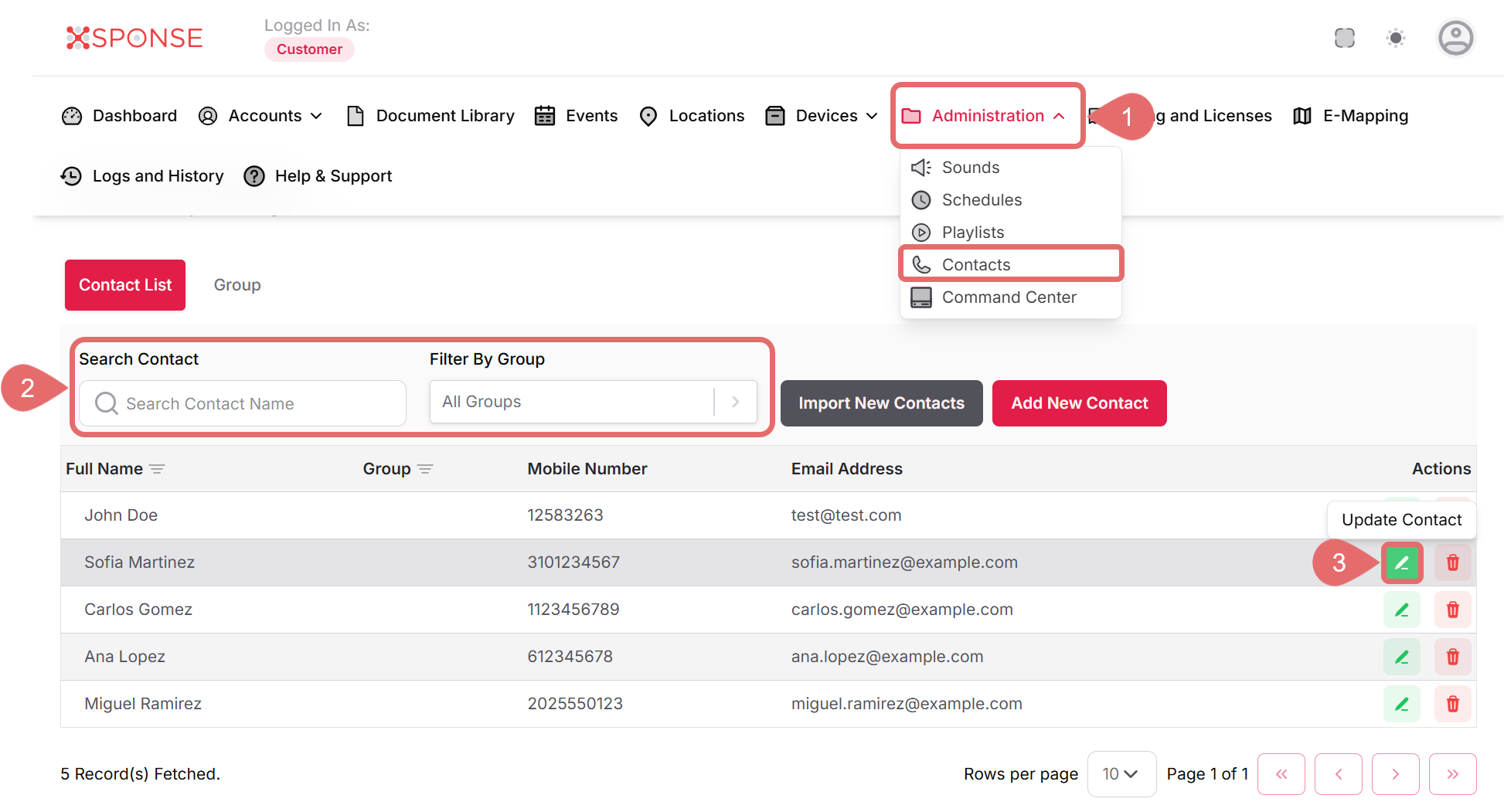
- Go to Administration > Contacts.
- Use the search bar or filters to locate the contact you want to edit.
- In the Actions column, click the Update Contact icon to open the editing panel.
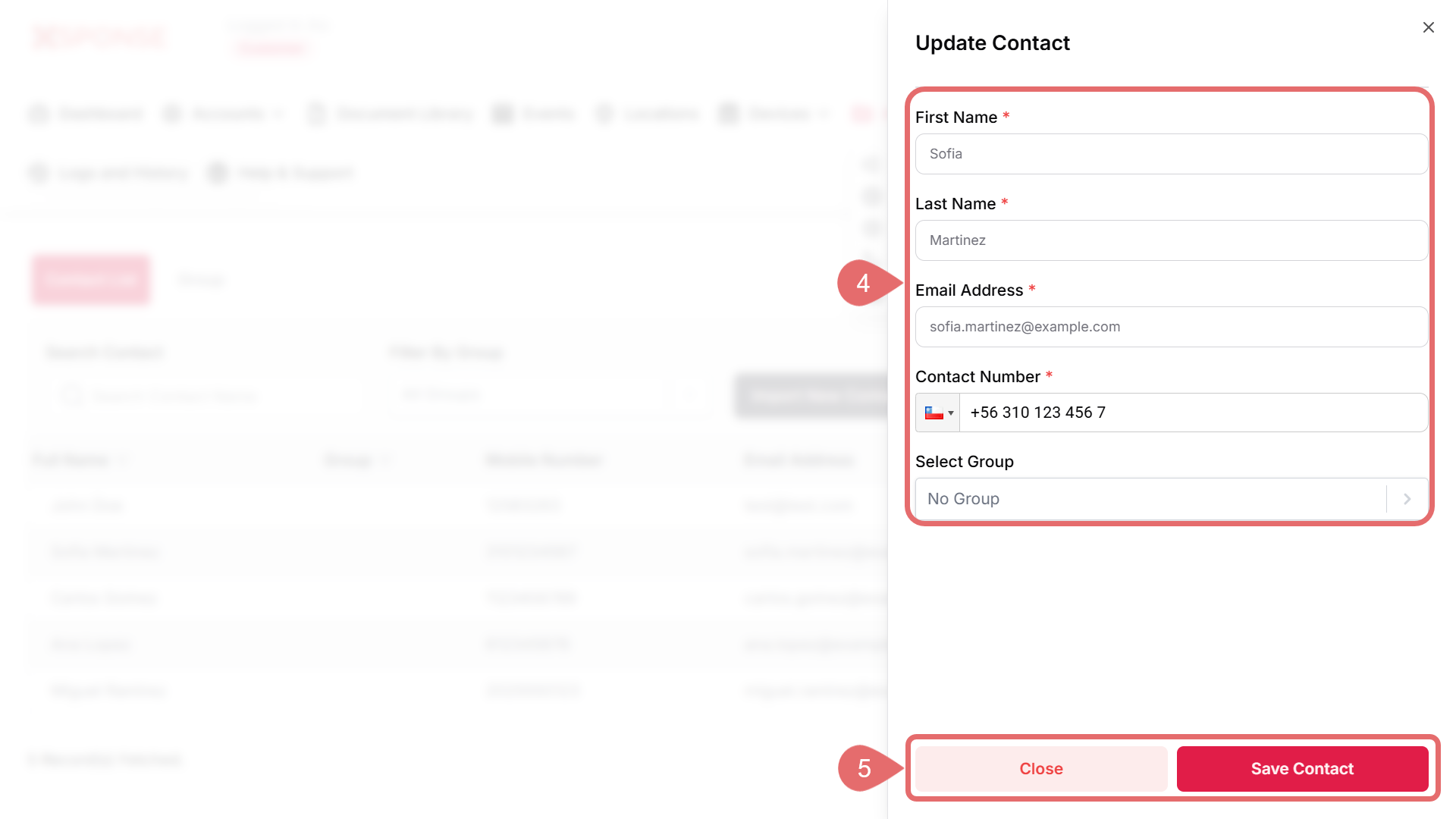
- Update the necessary fields, such as:
- First Name
- Last Name
- Email Address
- Contact Number
- Select Group
- Click Save Contact to apply the changes, or Cancel to discard the changes.
See Also
To complement your knowledge of this process, check the following pages: