Edit a Playlist
Editing a playlist allows you to change its name to better reflect its content or purpose. This helps you keep your playlists organized and easy to identify. You can quickly edit any playlist from the main list view.
To Edit a Playlist
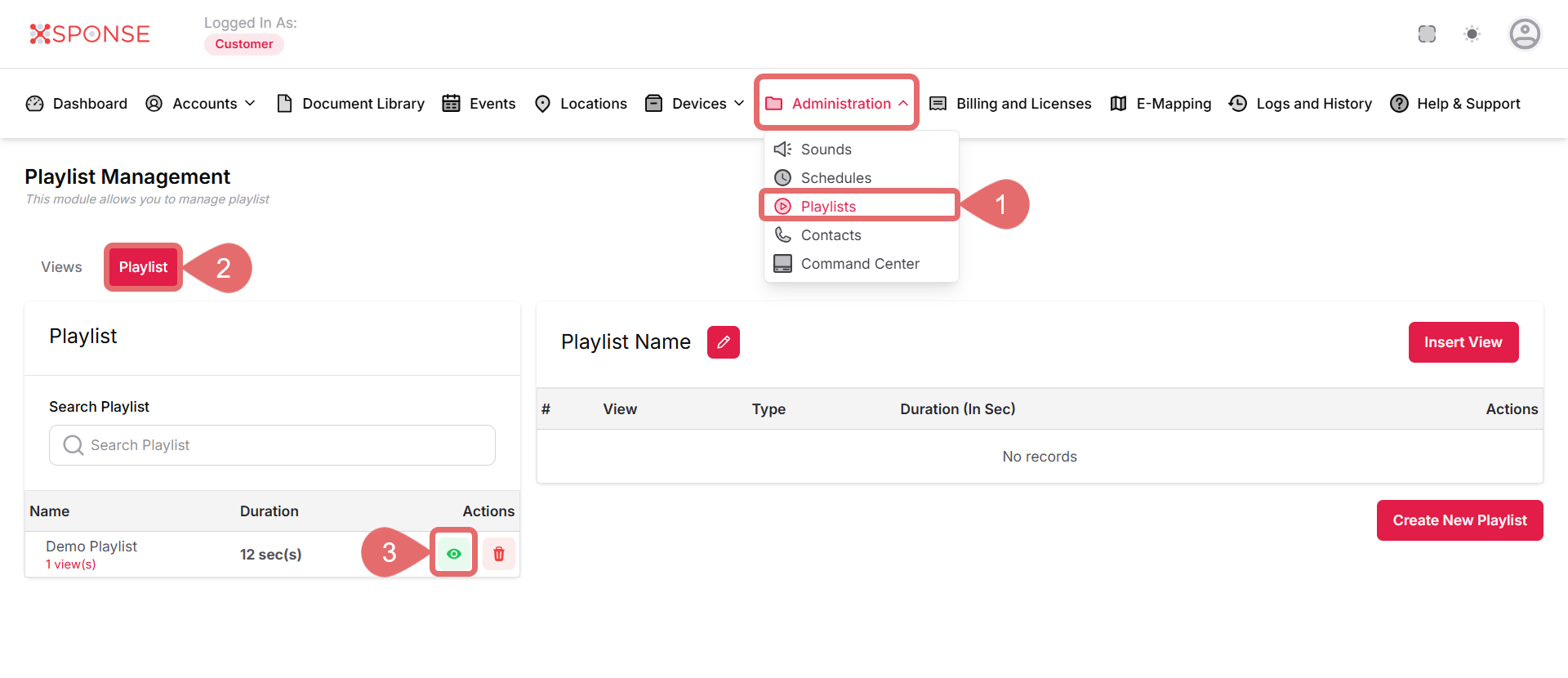
- Go to Administration > Playlists.
- Select the Playlist tab.
- Click View Playlist to view the playlist you want to edit.
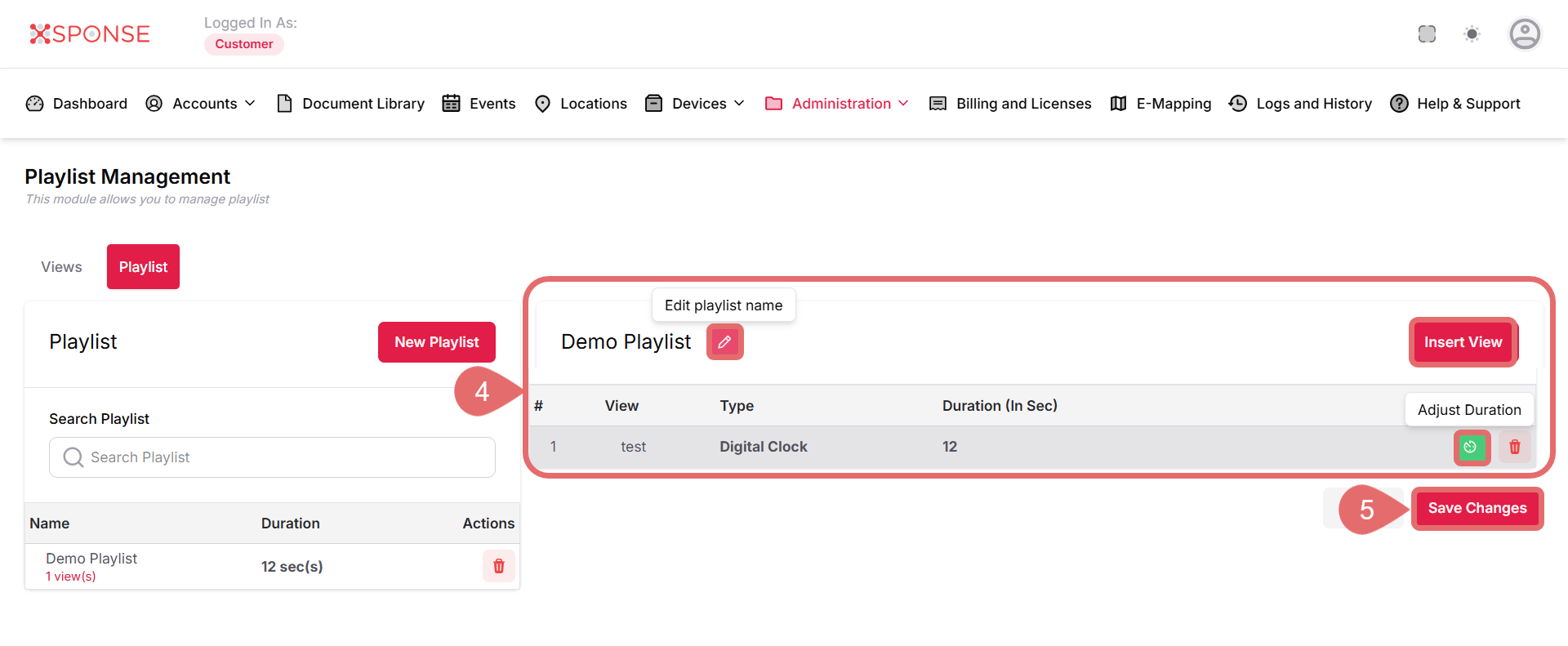
- Update the playlist details as needed:
- Change the playlist name.
- Modify the duration.
- Insert or remove views from the playlist.
Minimum RequirementYou must insert at least one view to save the playlist.
- Click Save Changes to apply the changes.
See Also
To complement your knowledge of this process, check the following pages: