View Schedules
Viewing schedules allows you to see all active schedules within the Xsponse platform. This helps in tracking upcoming events and managing existing schedules effectively.
To View Schedules
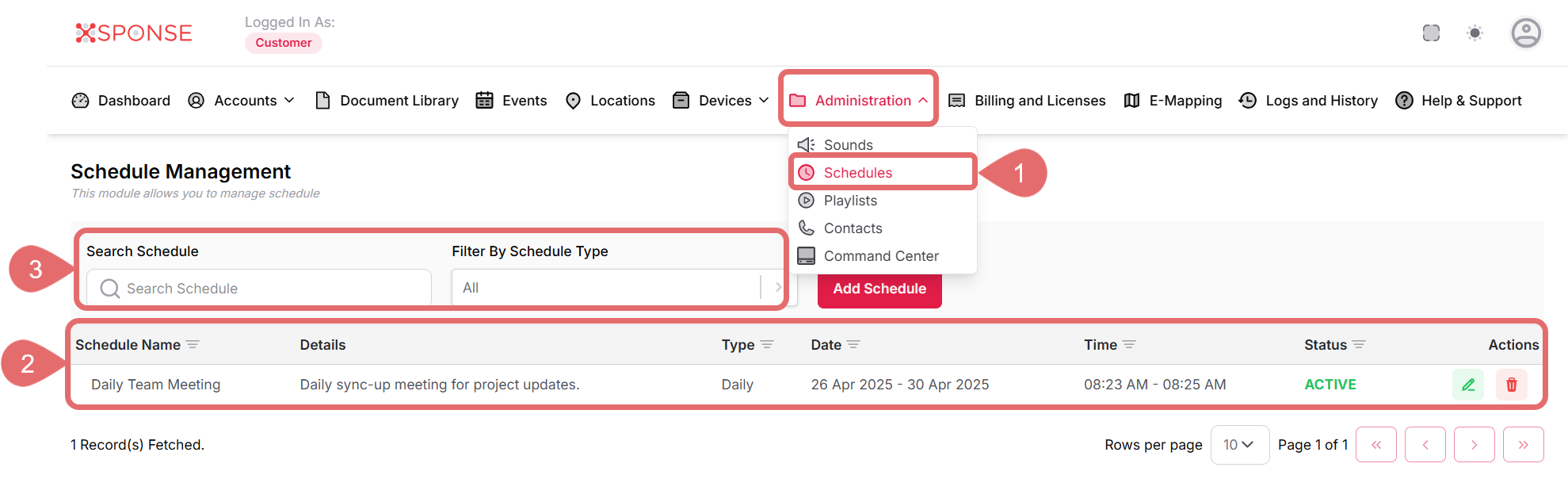
- Go to Administration > Schedules.
- A list of all existing schedules will be displayed, including details such as:
- Schedule Name
- Description
- Date
- Time
- Status
- Acctions
- Use the Search Schedule bar to find schedules by name or filter them as needed.
See Also
To complement your knowledge of this process, check the following pages: