Delete a Sound
You can delete sounds from Xsponse when they are no longer needed or were added by mistake. This action permanently removes the sound from your system.
To Delete a Sound
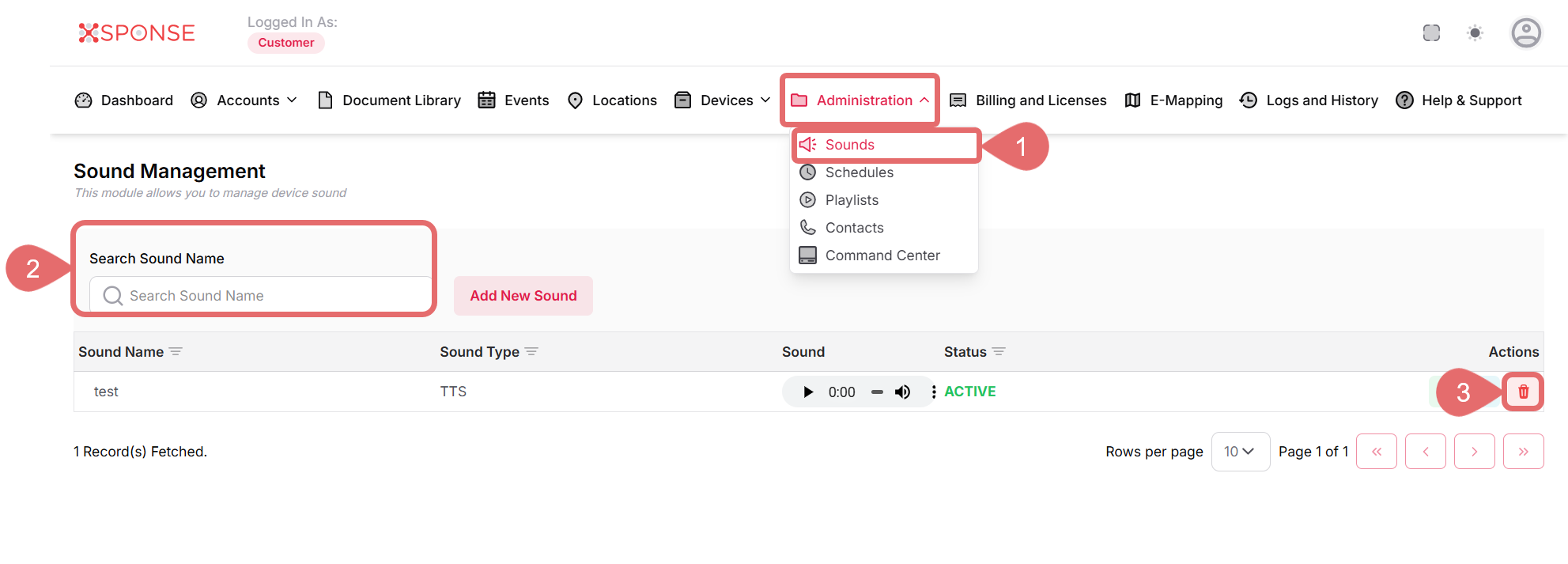
- Go to Administration > Sounds.
- Use the search bar to find the sound you want to delete or locate it manually in the list.
- Click the Delete Sound icon in the Actions column.
- Click Delete to confirm, or Cancel to exit without deleting.
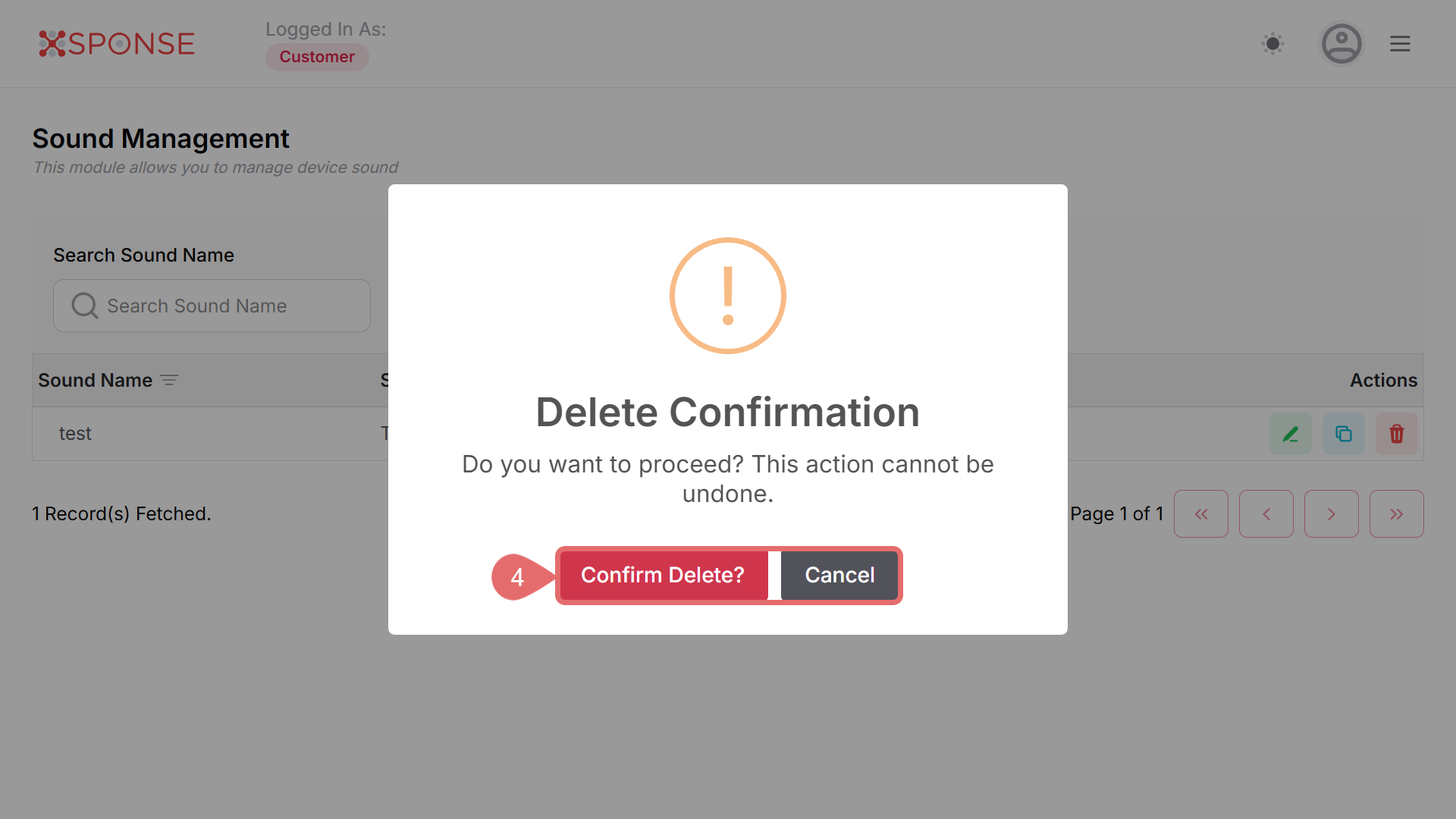
Action Cannot Be Undone
Deleting a sound cannot be undone. Make sure to confirm before proceeding.
See Also
To complement your knowledge of this process, check the following pages: