Duplicate a Sound
In the Administration module, you can duplicate existing sounds in Xsponse to quickly create a new sound entry using the same settings. This is useful when you want to reuse a sound with slight modifications or assign the same audio to a different configuration.
To Duplicate a Sound
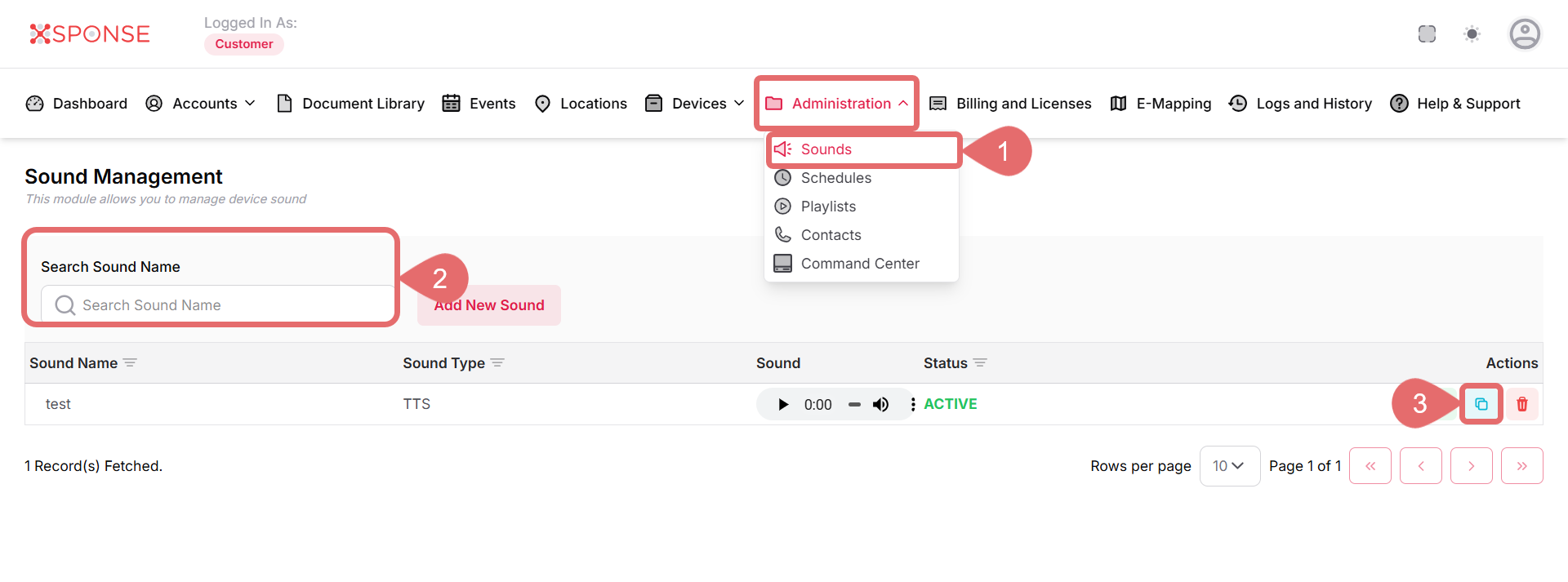
- Go to Administration > Sounds.
- Use the search bar to find the sound you want to duplicate or locate it manually in the list.
- Click the Duplicate icon under the Actions column.
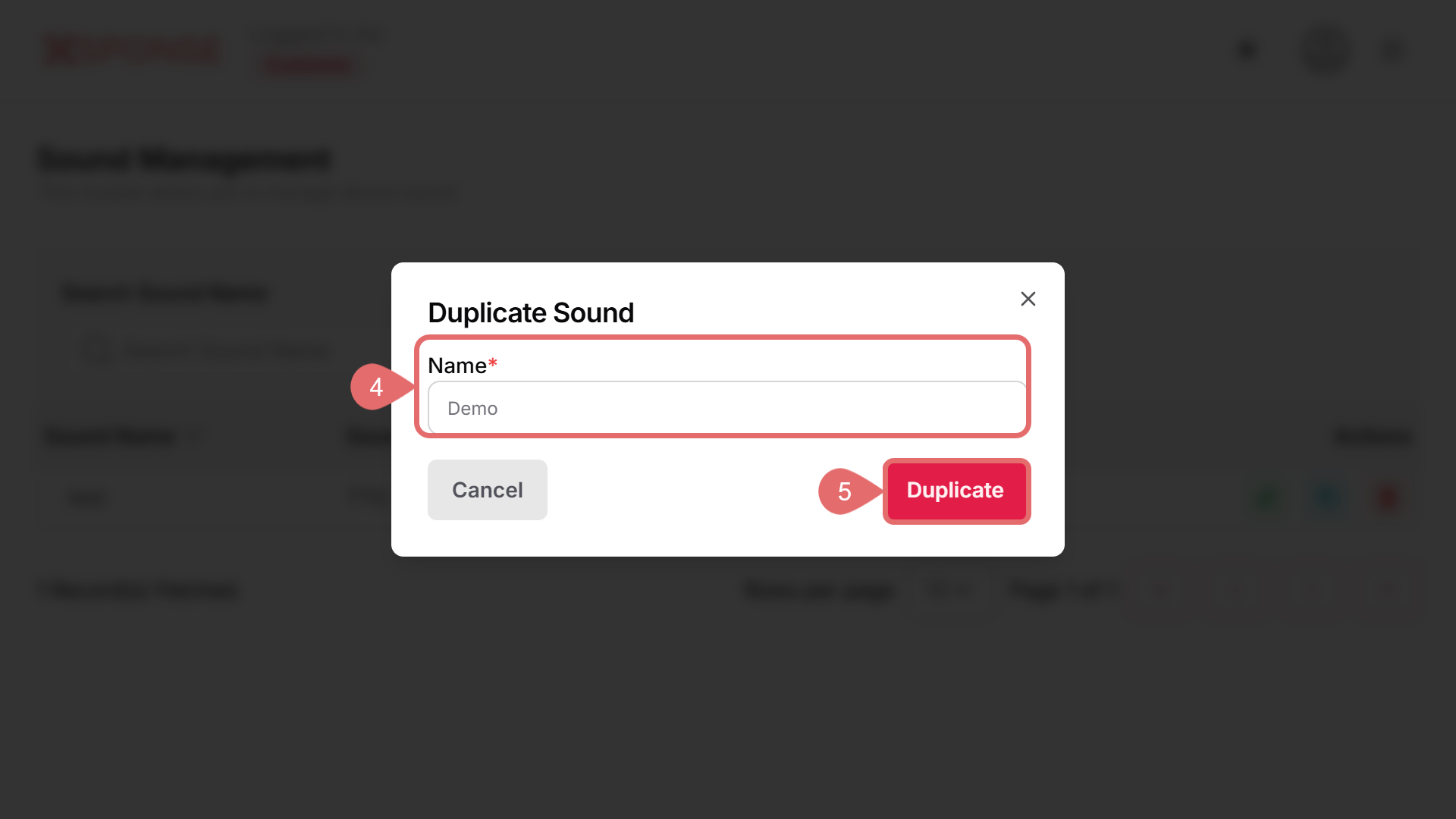
- Enter the name of the duplicated sound.
- Click the Duplicate button to apply changes.
See Also
To complement your knowledge of this process, check the following pages: