Activate an Event
You can activate an event in Xsponse when it has been previously created but is currently inactive. This enables the event to run based on its defined trigger or schedule.
To Activate an Event
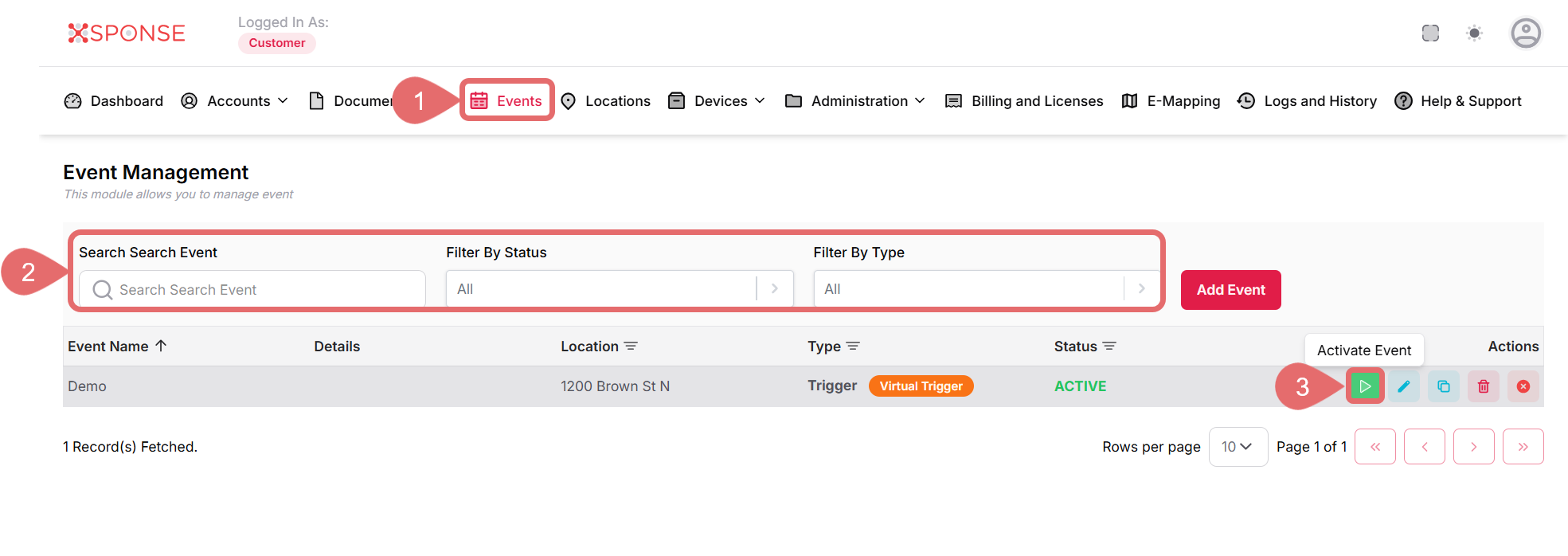
- Go to Events in the main menu.
- Use the search bar or filters to locate the event you want to activate or locate it manually in the list.
- Click the Activate Event icon in the Actions column.
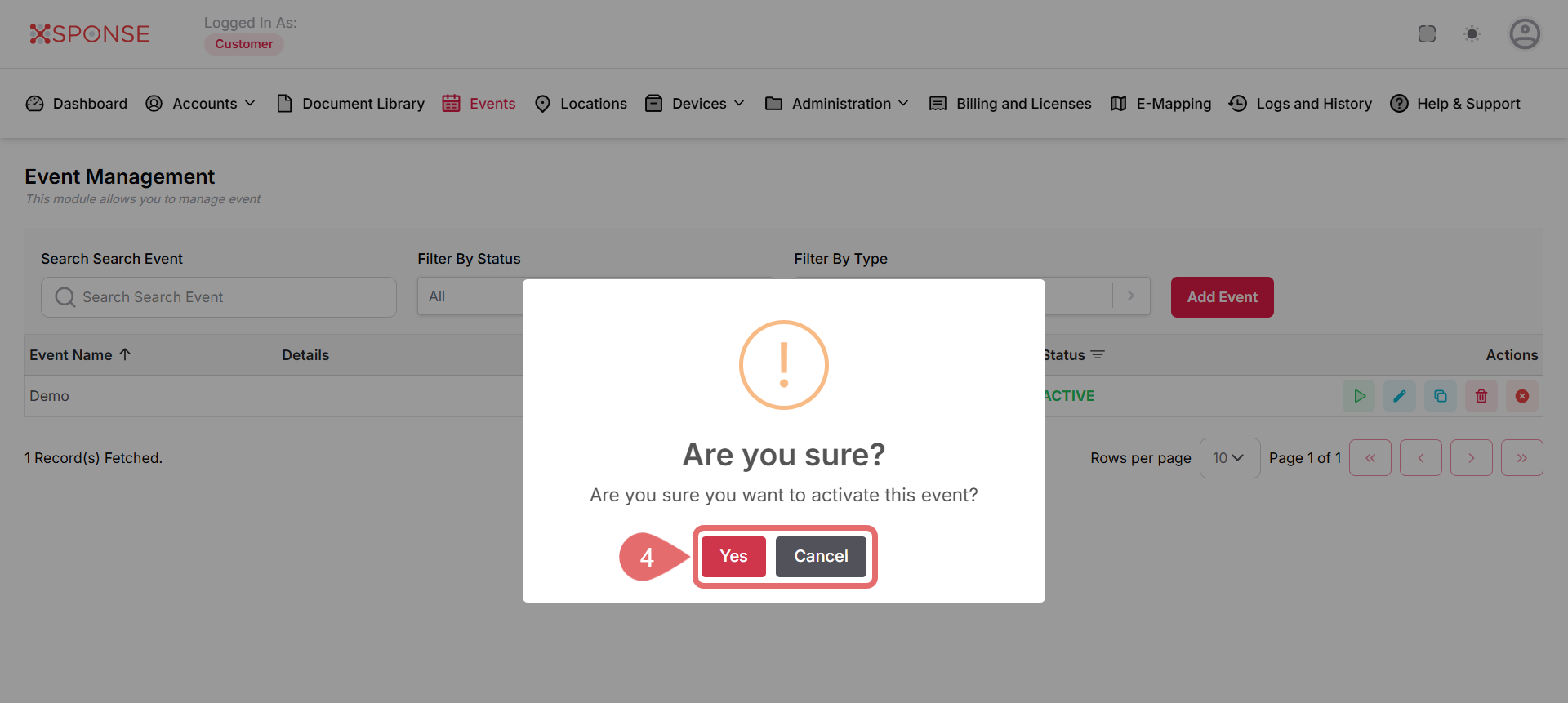
- Click Yes to confirm or Cancel to exit without activate the event.
See Also
To complement your knowledge of this process, check the following pages: