View Purchase History by Location
This module allows you to view the license, maintenance, add-ons, and device history associated with each location in your account.
To View Purchase History by Location:
- Go to Billing and Licenses in the main menu.
- Select a location from the Location List on the left panel.
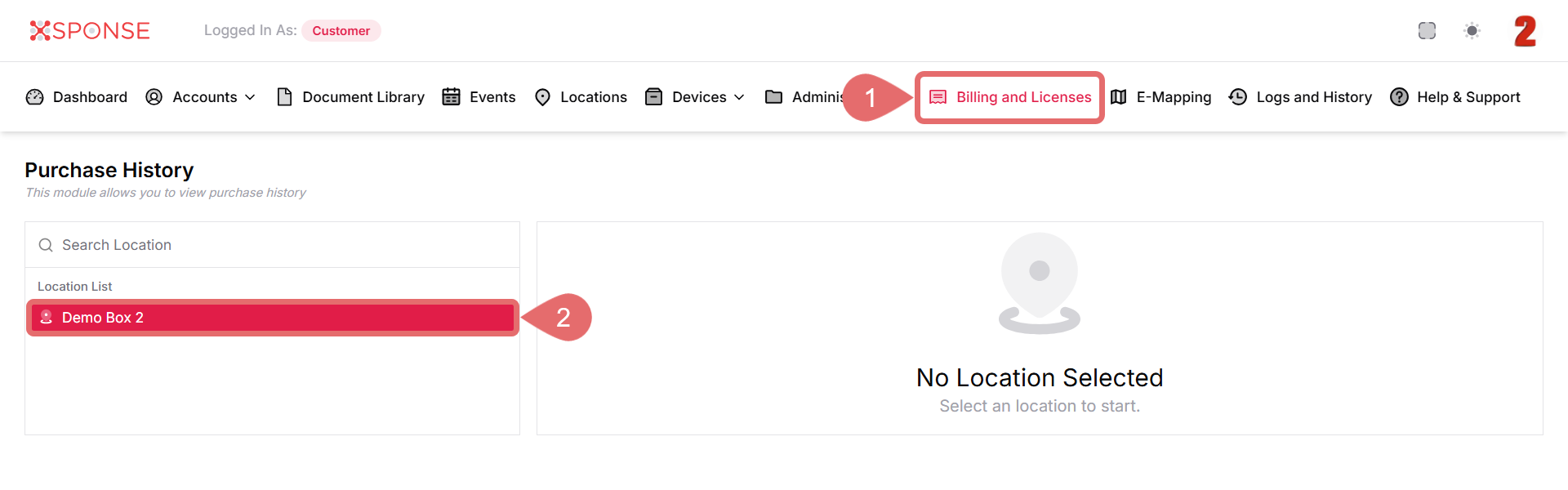
- The purchase history for the selected location will appear on the right, showing:
- License and Maintenance status.
- Add-Ons.
- List of Devices associated with that location.
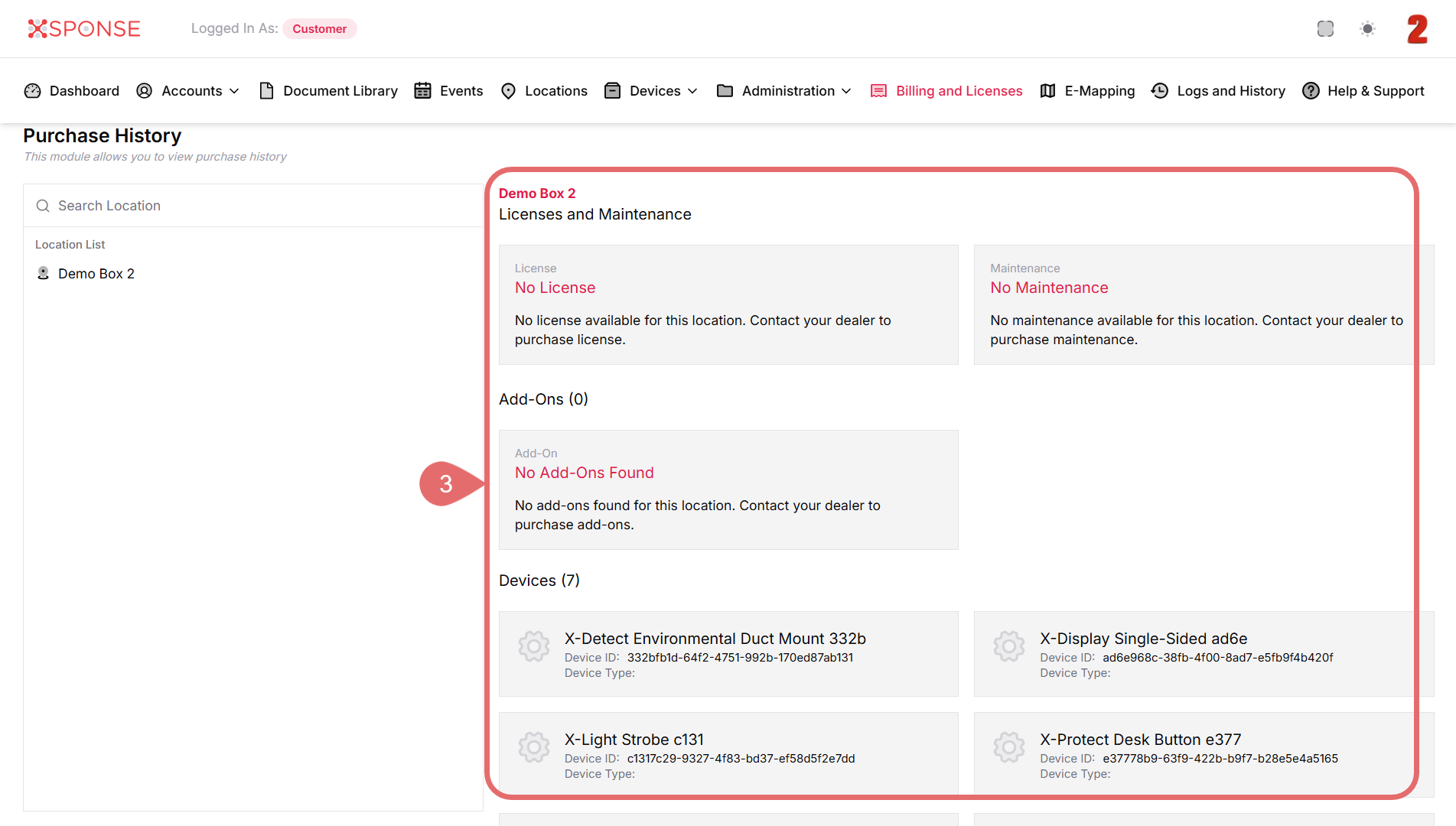
No License or Add-Ons?
If you see "No License" or "No Add-Ons Found," contact your dealer to purchase the required items.
See Also
To complement your knowledge of this process, check the following pages: