Reboot a Device
In the Devices module, you can remotely reboot a device directly from the platform. This is helpful when troubleshooting or applying updates that require a restart.
To Reboot a Device
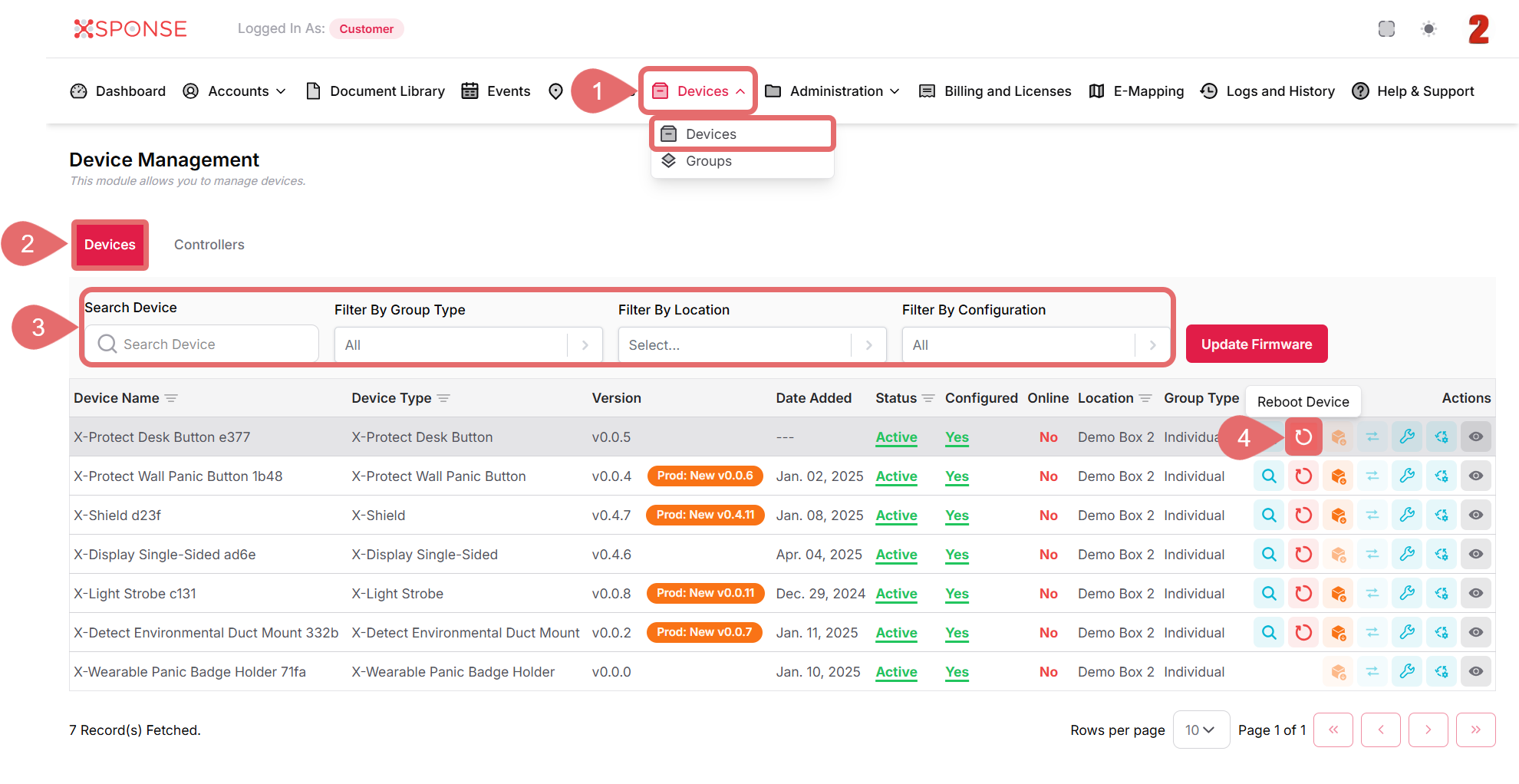
- Go to Devices > Devices in the main menu.
- Select the Devices tab.
- Use the search bar or filters to locate the device you want to reboot or you can also scroll through the list to locate it manually.
- In the Actions column, click the Reboot Device icon.
- A confirmation prompt will appear. Click Yes to proceed or Cancel to return without taking action.
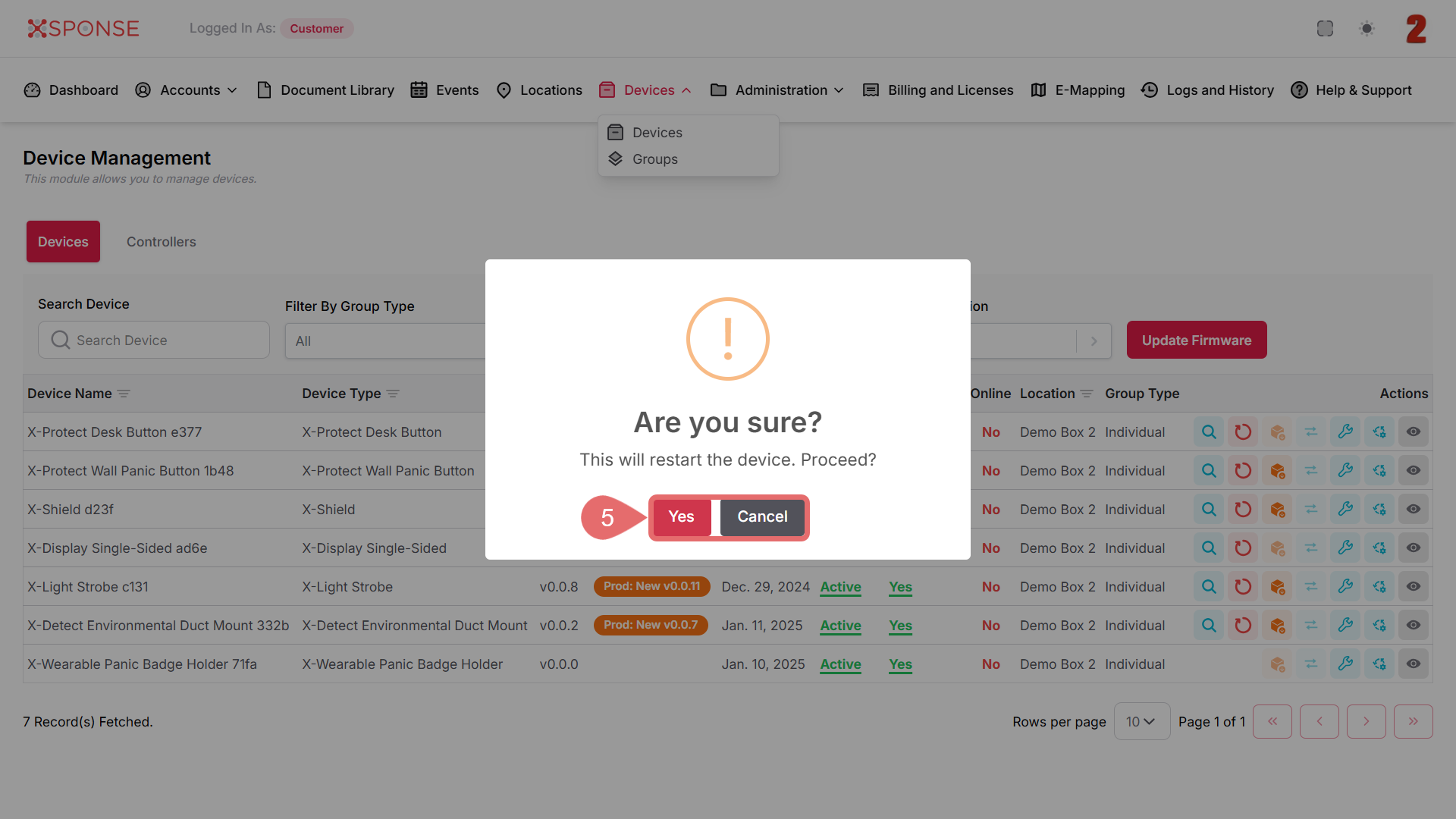 warningRebooting a device may temporarily interrupt its connectivity and functionality. Ensure the device is not in critical use before confirming the action.
See Also
To complement your knowledge of this process, check the following pages: