Test a Device
In the Devices module, you can remotely test a device to verify its operational status. This is useful for troubleshooting or validating the device after configuration changes.
To Test a Device
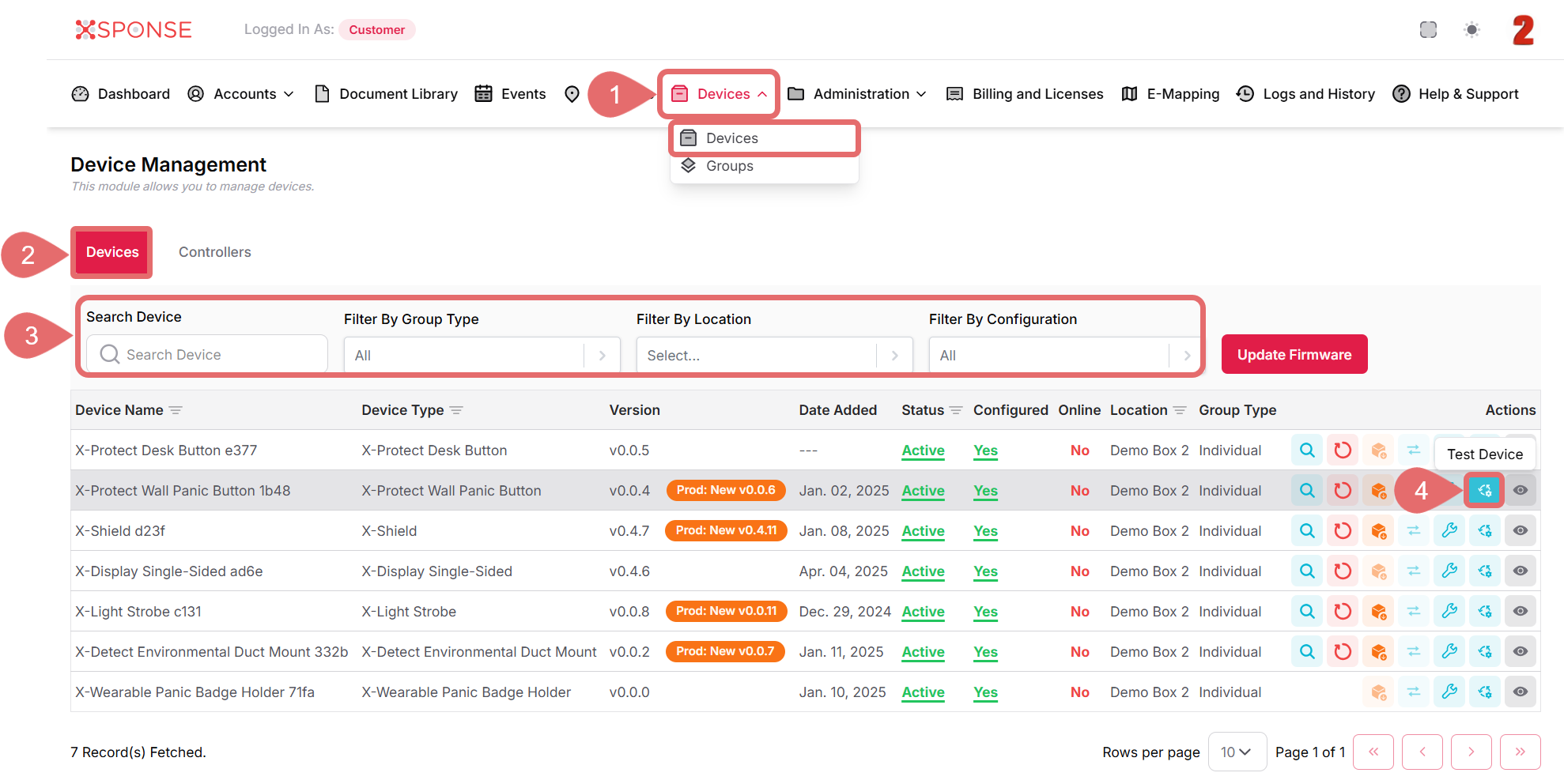
- Go to Devices > Devices in the main menu.
- Select the Devices tab.
- Use the search bar or filters to locate the device you want to test or you can also scroll through the list to locate it manually.
- In the Actions column, click the Test Device icon.
- A confirmation dialog will appear. Click Yes to proceed or Cancel to stop the action.
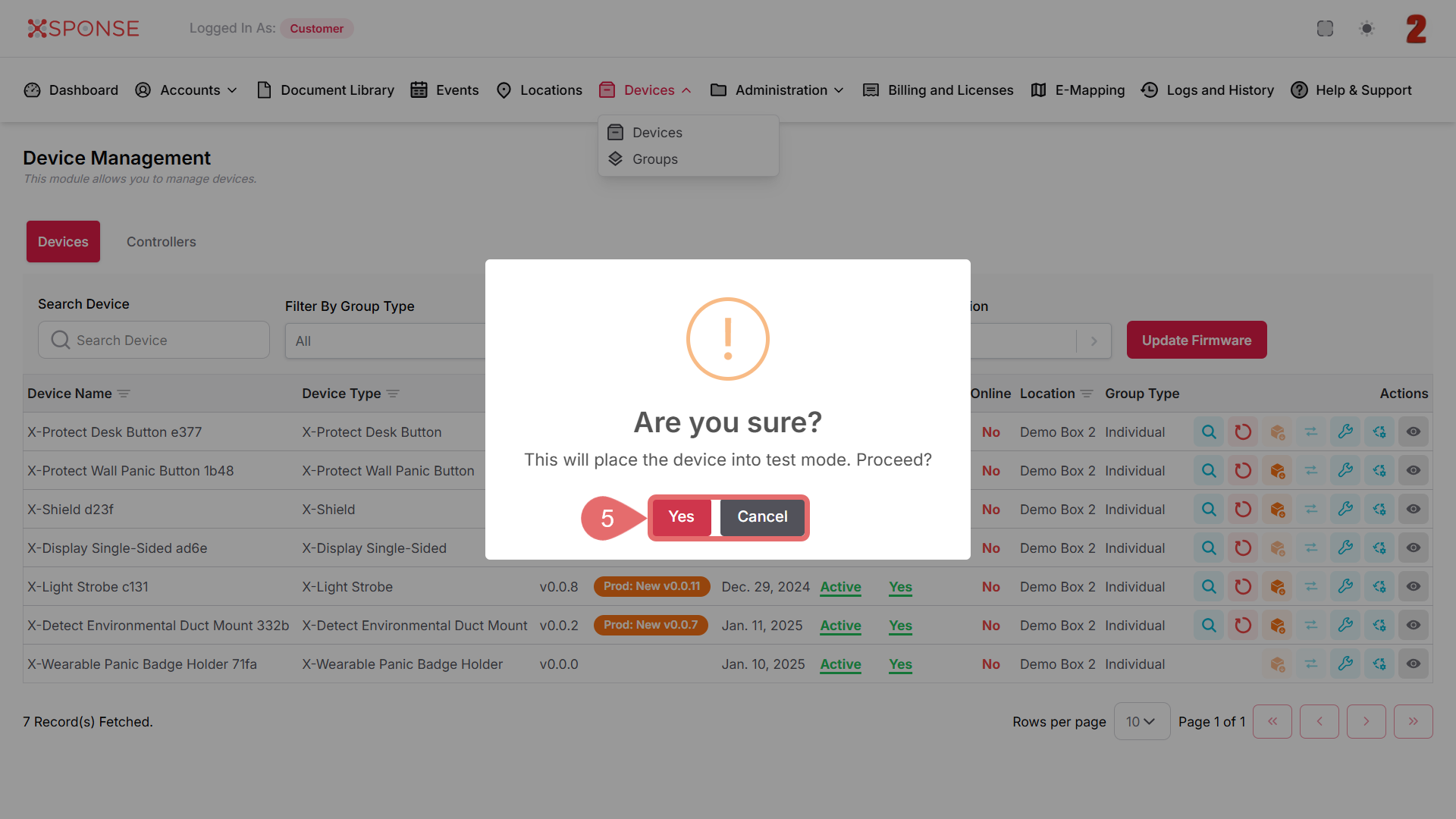
The platform will send a test command to the selected device.
What to Expect During a Test
Depending on the device type, the test may activate lights, sounds, or run an internal system check. Ensure the device is powered and online before initiating a test.
See Also
To complement your knowledge of this process, check the following pages: